Compare Products

Hide

Clear All

VS

RG-AP6930-D Wireless - 1
RG-AP6930-D Wireless - 2
RG-AP6930-D Wireless - 3
RG-AP6930-D Wireless - 4
RG-AP6930-D Wireless - 5
RG-AP6930-D Wireless - 6
RG-AP6930-D Wireless - 1
RG-AP6930-D Wireless - 2
RG-AP6930-D Wireless - 3
RG-AP6930-D Wireless - 4
RG-AP6930-D Wireless - 5
RG-AP6930-D Wireless - 6
Picture

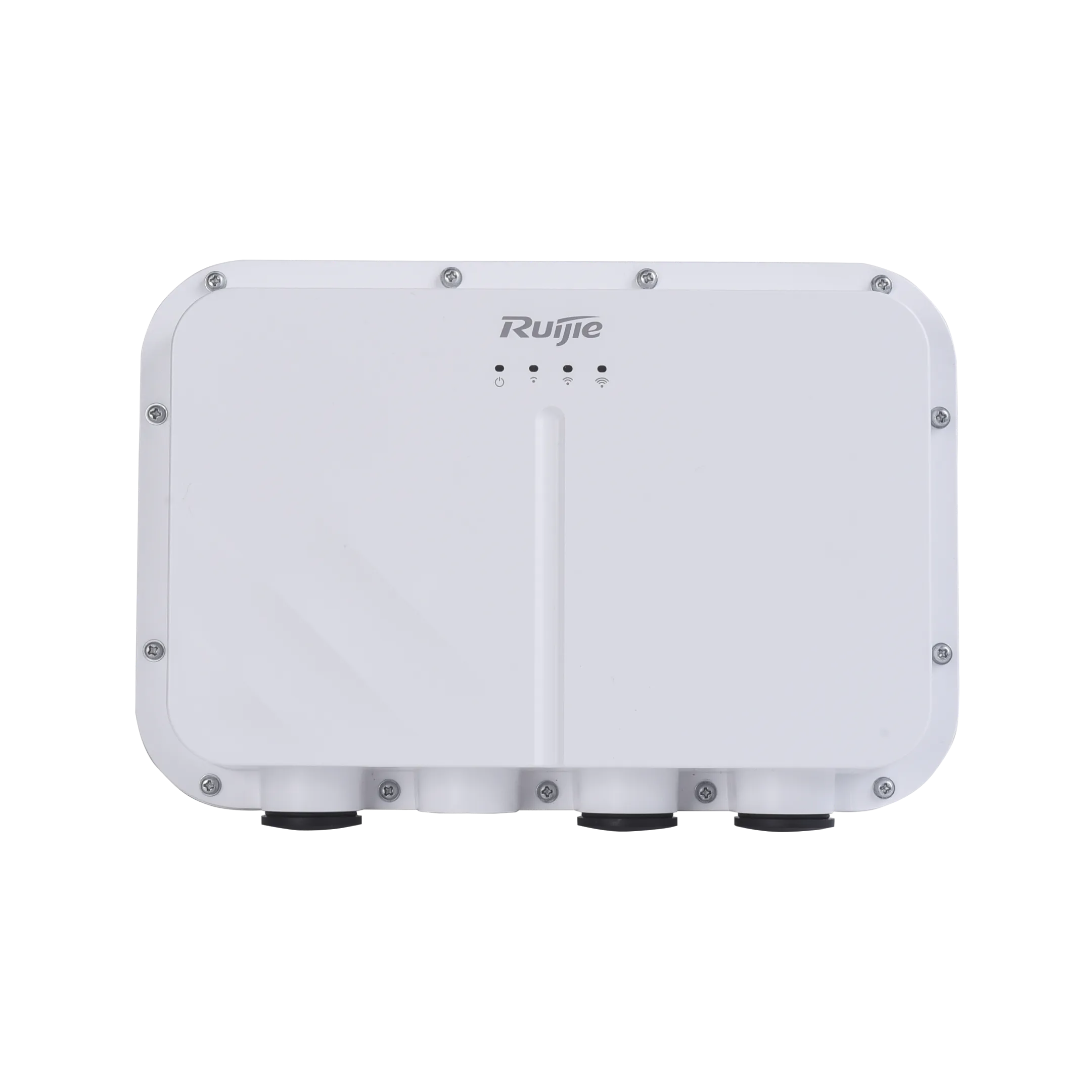
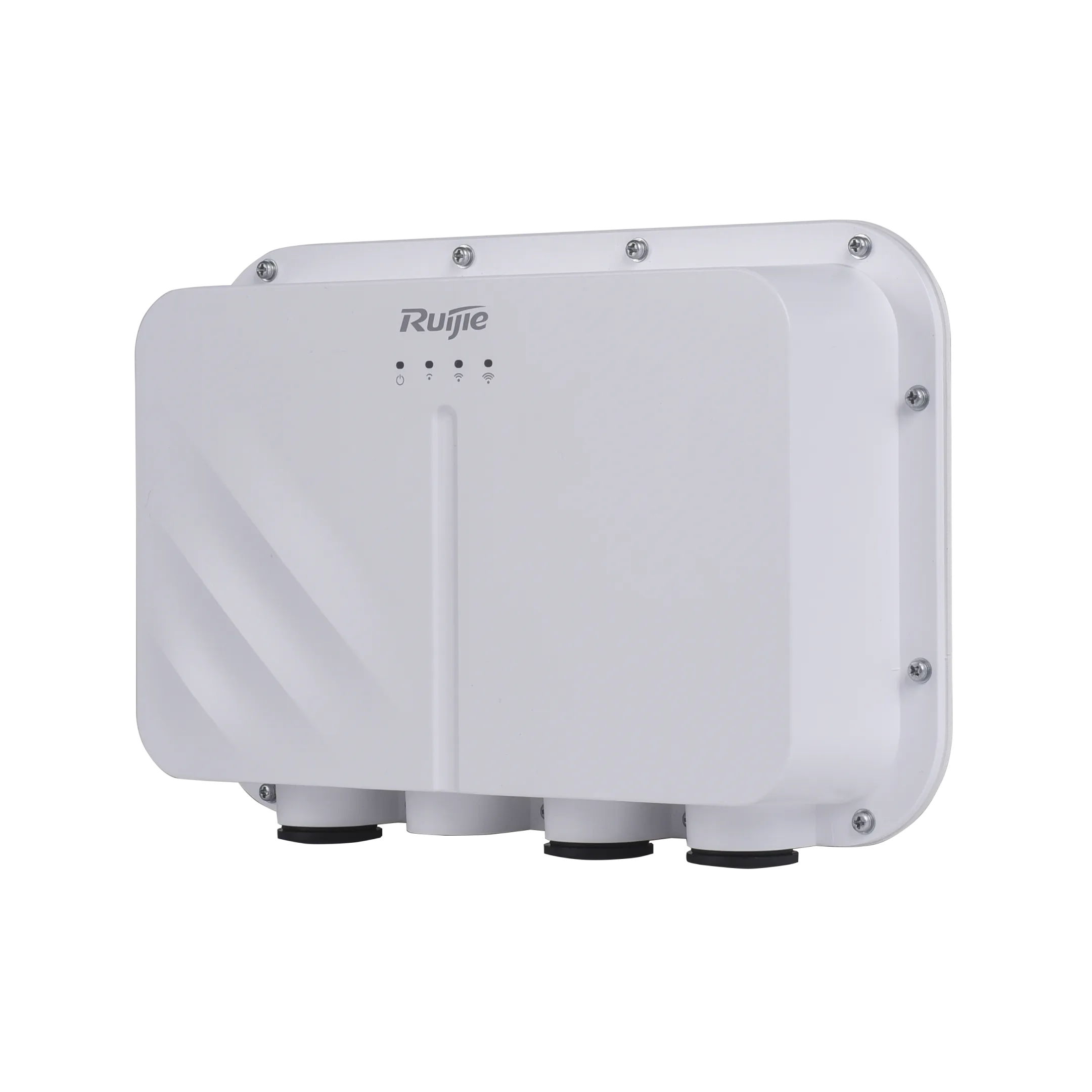
RG-AP6930-D, Wi-Fi 7 Dual-Radio 3.570 Gbps Outdoor Access Point

Recommended for outdoor scenarios in education, enterprise, government, healthcare, finance, commerce, and other industries, providing long-range and focused wireless coverage.

Models
Series
Highlight Features
  • Multi-service ports for flexible networking
  • Enterprise-class Wi-Fi 7 delivering a data rate of up to 3.570 Gbps
  • Built-in directional antennas for strong and focused coverage
  • Industrial-grade design for challenging outdoor environments
  • WIS digital twin network for superior network O&M efficiency
Sales Enquiry

Key Specification

View More

Features

RG-AP6930-D Wi-Fi 7 Series Outdoor Access Point

The RG-AP6930-D is a Wi-Fi 7 outdoor AP designed by Ruijie for outdoor scenarios. It delivers the combined peak data rate of 3.570 Gbps, and features IP68-rated protection and a wide operating temperature range of –40°C to +55°C. With built-in directional antennas, it provides long-range and focused wireless coverage.

Multi-Service Ports for Flexible Networking

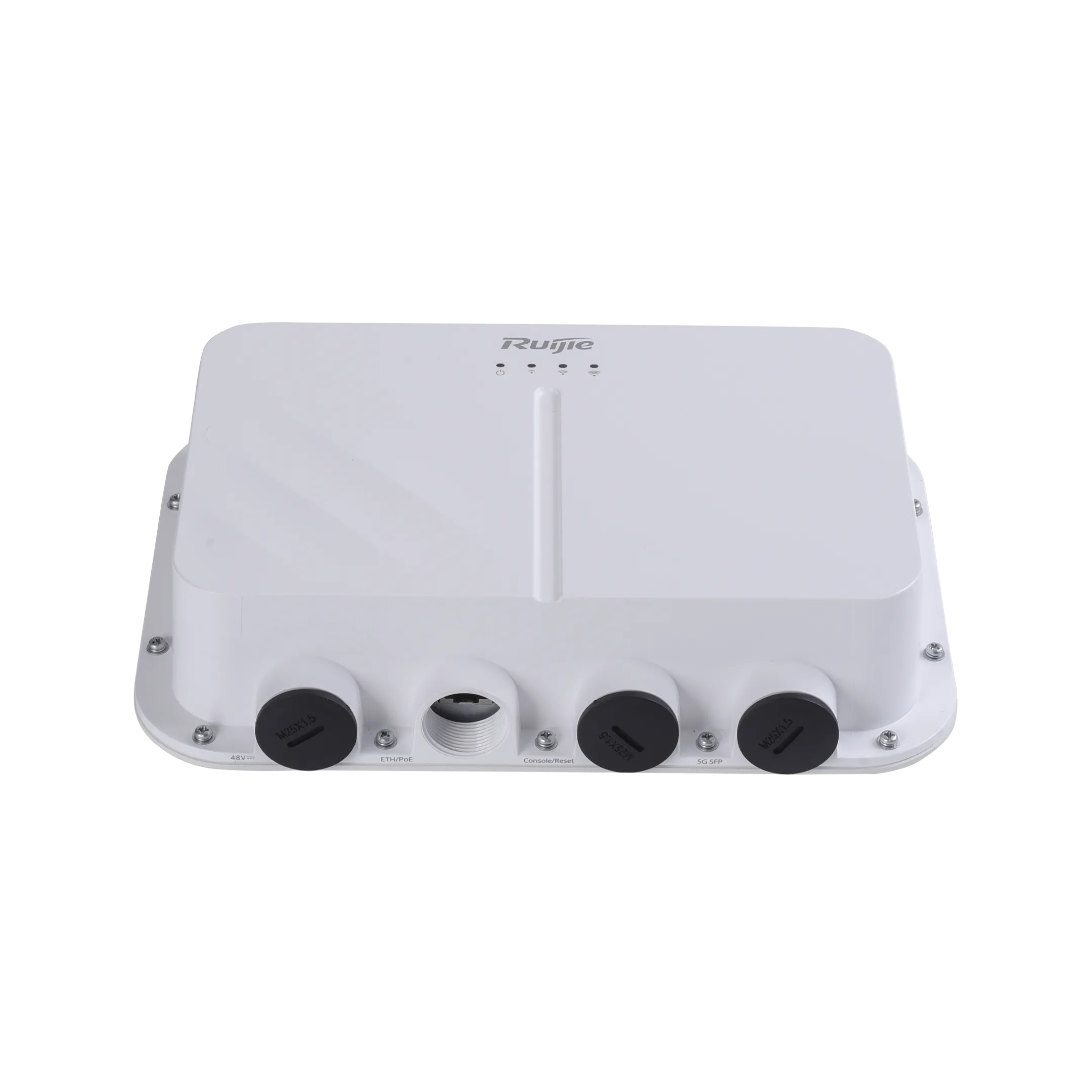
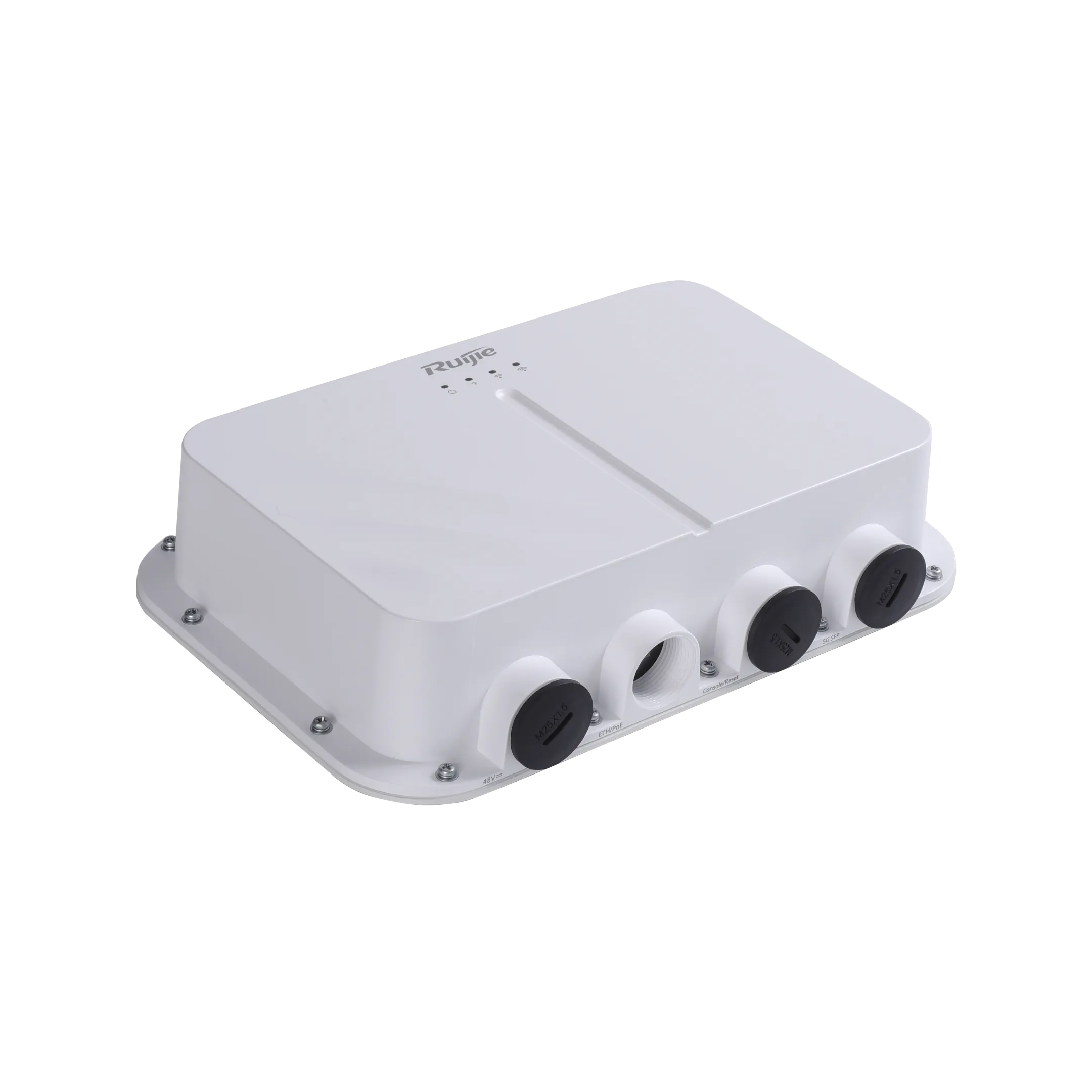
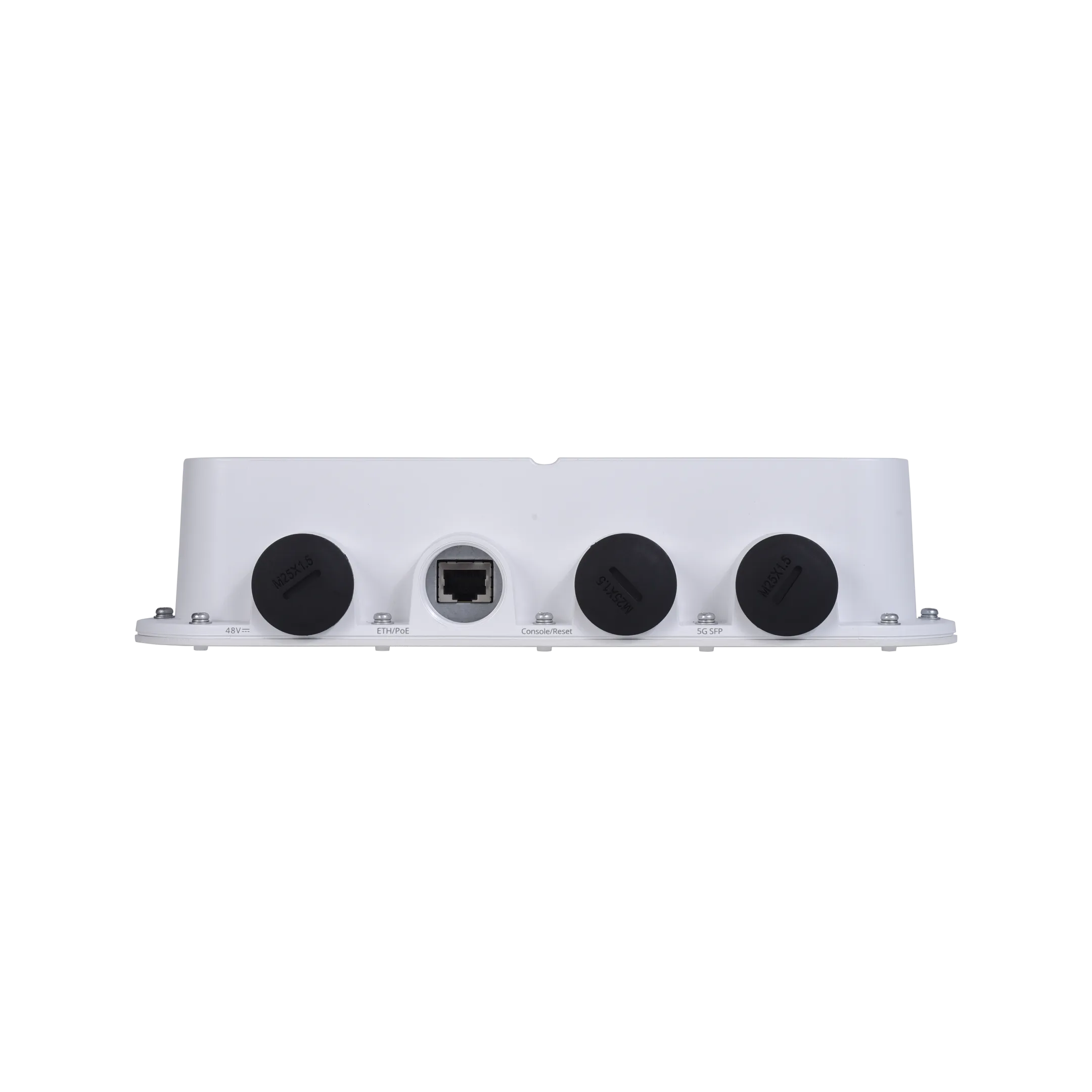
The multi-service port design enables flexible adaptation to different network architectures with a single deployment. The RG-AP6930-D provides one 5G SFP port that supports Ruijie SOE Solution, enabling long-distance fiber transmission in outdoor environments. It also provides one 2.5G Ethernet port for compatibility with existing Ethernet infrastructure.

Enterprise-Class Wi-Fi 7 Delivering a Data Rate of Up to 3.570 Gbps

The RG-AP6930 supports 4096-QAM modulation, delivering a 20% performance improvement over the 1024-QAM used by Wi-Fi 6. Combined with OFDMA multi-user access technology, the RG-AP6930 achieves the combined peak data rate of 3.570 Gbps, meeting high-bandwidth requirements of applications such as HD video and real-time interactive services.

Built-in Directional Antennas for Strong and Focused Coverage

Featuring a built-in directional antenna design, the RG-AP6930-D delivers strong, focused wireless beams over long distances, meeting connectivity needs of outdoor scenarios such as pedestrian streets, long and narrow corridors, and long-distance backhaul for security surveillance.

Industrial-Grade Design for Challenging Outdoor Environments

WIS Digital Twin Network for Superior Network O&M Efficiency

WIS integrates intelligent O&M functions, including visualized fault locating, along with local, service and key area network optimization. These capabilities aim to improve operational efficiency and enhance the user experience for wireless networks.
Go to WIS >

Specifications

Hardware Specifications

Hardware Specifications

RG-AP6930-D

802.11n

4 spatial streams

● Radio 1 – 2.4 GHz: 2x2 MIMO, two spatial streams

● Radio 2 – 5 GHz: 2x2 MIMO, two spatial streams

Channel:

● Radio 1 – 2.4 GHz: 20 MHz and 40 MHz

● Radio 2 – 5 GHz: 20 MHz and 40 MHz

Combined peak data rate: 600 Mbps

● Radio 1 – 2.4 GHz: 6.5 Mbps to 300 Mbps (MCS0 to MCS15)

● Radio 2 – 5 GHz: 6.5 Mbps to 300 Mbps (MCS0 to MCS15)

Radio technologies: Orthogonal Frequency-Division Multiplexing (OFDM)

Modulation types: BPSK, QPSK, 16-QAM, and 64-QAM

Packet aggregation:

● Aggregate MAC Protocol Data Unit (A-MPDU)

● Aggregate MAC Service Data Unit (A-MSDU)

Dynamic Frequency Selection (DFS)

Cyclic Delay/Shift Diversity (CDD/CSD)

Maximum Ratio Combining (MRC)

Space-Time Block Coding (STBC)

Low-Density Parity Check (LDPC)

Transmit beam-forming (TxBF)

802.11ac

2 spatial streams

● Radio 2 – 5 GHz: 2x2 downlink MU-MIMO, two spatial streams

Channel:

● Radio 2 – 5 GHz: 20 MHz, 40 MHz, 80 MHz, and 160 MHz

Combined peak data rate: 1.733 Gbps

Radio 2 – 5 GHz: 6.5 Mbps to 1.733 Gbps (MCS0 to MCS9)

Radio technologies: OFDM

Modulation types: BPSK, QPSK, 16-QAM, 64-QAM, and 256-QAM

Packet aggregation:

● A-MPDU

● A-MSDU

DFS

CDD/CSD

MRC

STBC

LDPC

TxBF

802.11ax

4 spatial streams

● Radio 1 – 2.4 GHz: 2x2 uplink/downlink MU-MIMO, two spatial streams

● Radio 2 – 5 GHz: 2x2 uplink/downlink MU-MIMO, two spatial streams

Channel:

● Radio 1 – 2.4 GHz: 20 MHz and 40 MHz

● Radio 2 – 5 GHz: 20 MHz, 40 MHz, 80 MHz, and 160 MHz

Combined peak data rate: 2.976 Gbps

● Radio 1 – 2.4 GHz: 7.3 Mbps to 0.574 Gbps (MCS0 to MCS11)

● Radio 2 – 5 GHz: 7.3 Mbps to 2.402 Gbps (MCS0 to MCS11)

Radio technologies: Uplink/Downlink Orthogonal Frequency-Division Multiple Access (OFDMA)

Modulation types: BPSK, QPSK, 16-QAM, 64-QAM, 256-QAM, and 1024-QAM

Packet aggregation:

● A-MPDU

● A-MSDU

DFS

CDD/CSD

MRC

STBC

LDPC

TxBF

WPA3

802.11be

4 spatial streams

● Radio 1 – 2.4 GHz: 2x2 uplink/downlink MU-MIMO, two spatial streams

● Radio 2 – 5 GHz: 2x2 uplink/downlink MU-MIMO, two spatial streams

Channel:

● Radio 1 – 2.4 GHz: 20 MHz and 40 MHz

● Radio 2 – 5 GHz: 20 MHz, 40 MHz, 80 MHz, and 160 MHz

Combined peak data rate: 3.570 Gbps

● Radio 1 – 2.4 GHz: 7.3 Mbps to 0.688 Gbps (MCS0 to MCS13)

● Radio 2 – 5 GHz: 7.3 Mbps to 2.882 Gbps (MCS0 to MCS13)

Radio technologies: Uplink/Downlink OFDMA

Modulation types: BPSK, QPSK, 16-QAM, 64-QAM, 256-QAM, 1024-QAM, and 4096-QAM

Packet aggregation:

● A-MPDU

● A-MSDU

DFS

CDD/CSD

MRC

STBC

LDPC

TxBF

WPA3

Antenna

Wi-Fi

● 2.4 GHz: two built-in directional antennas, with peak antenna gain of 9.4 dBi. Horizontal lobe angle of 35° and vertical lobe angle of 65°.

● 5 GHz: two built-in directional antennas, with peak antenna gain of 16.5 dBi. Horizontal lobe angle of 15° and vertical lobe angle of 30°.

Bluetooth

● One built-in omnidirectional antenna, with the peak antenna gain of 5.9 dBi

Port

1 x 10/100/1000/2.5GBASE-T port, supporting IEEE 802.3af/at power input

1 x 5GE SFP port, which is compatible with 2.5GE and 1GE SFP transceivers

1 x RJ45 console port (serial console port)

1 x Bluetooth 5.3

LED

● 1 x system status LED

● 3 x signal strength LEDs

Button

1 x Reset button

● Press the button for less than 2s. Then the device restarts.

● Press the button for more than 5s. Then the device is restored to factory defaults.

GPS

Supported

Dimensions (W x D x H)

Main unit: 251 mm x 173 mm x 56 mm (9.88 in. x 6.81 in. x 2.20 in.)

Shipping: 489 mm x 422 mm x 347 mm (19.25 in. x 16.61 in. x 13.66 in.)

Weight

Main unit: 1.37 kg (3.02 lbs)

Mounting plate assembly: 0.35 kg (0.77 lbs)

Mounting bracket for wall/pole mounting: 0.15 kg (0.33 lbs)

Shipping: 12.36 kg (27.25 lbs)

Mounting

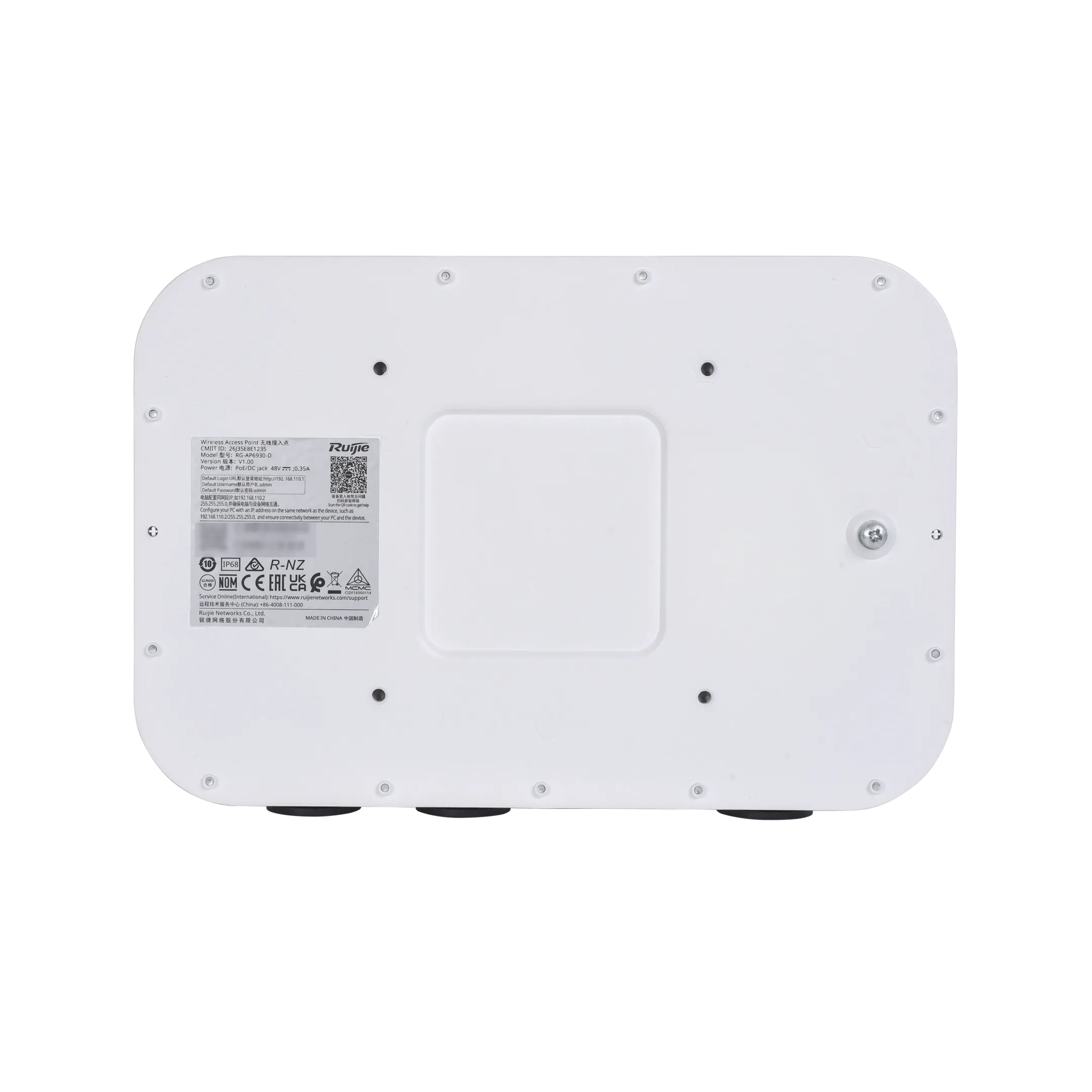
Wall/Pole mounting

Input power supply

The AP supports the following power supply modes:

● 48 V DC/0.35 A power input over the DC connector

● PoE/PoE+ input, in compliance with 802.3af/at

Note:

● If both DC power and PoE are available, DC power is preferred.

● You are advised to power the AP using 802.3at (PoE+) so that the AP can deliver the optimal performance.

● When powered via 802.3af, the AP's default transmit power on both the 5 GHz and 2.4 GHz radios is reduced to 60%, with the duty cycle reduced by 50%. In this case, the wired port must be the RJ45 port.

● 802.3af power is not supported when the XG-SFP-TDM-BIDI-E transceiver is used.

Maximum power consumption

Maximum power consumption: 15.5 W

● DC power: 15.5 W, 2.4 GHz radio 2x2, 5 GHz radio 2x2

When the XG-SFP-TDM-BIDI-E transceiver is used, the maximum power consumption is 16.5 W, enabling the AP to operate in optimal performance mode. In this case, the wired port can be the RJ45 or SFP port.

● 802.3at (PoE+): 15.5 W, 2.4 GHz radio 2x2, 5 GHz radio 2x2

When the XG-SFP-TDM-BIDI-E transceiver is used, the maximum power consumption is 16.5 W, enabling the AP to operate in optimal performance mode. In this case, the wired port can be the RJ45 or SFP port.

● 802.3af (PoE): 12.95 W

The AP's default transmit power on both the 5 GHz and 2.4 GHz radios is reduced to 60%, with the duty cycle reduced by 50%. In this case, the wired port must be the RJ45 port.

● Idle mode: 6.3 W

Environment

Storage temperature: –40°C to +85°C (–40°F to +185°F)

Storage humidity: 0% RH to 100% RH (non-condensing)

Storage altitude: –500 m to +5,000 m (–1,640.42 ft. to +16,404.20 ft.)

Operating temperature: –40°C to +55°C (–40°F to +131°F)

Operating humidity: 0% RH to 100% RH (non-condensing)

Operating altitude: –500 m to +5,000 m (–1,640.42 ft. to +16,404.20 ft.)

Note: At an altitude in the range of 1,800–5,000 m (5,905.51–16,404.20 ft.), every time the altitude increases by 220 m (721.78 ft.), the maximum temperature decreases by 1°C (1.8°F).

Mean Time Between Failure (MTBF)

25,000 hours at the operating temperature of 25°C (77°F)

System memory

512 MB DRAM, 256 MB flash

Transmit power

2.4GHz

● Maximum transmit power: 28 dBm (630.96 mW)

● Minimum transmit power: 7 dBm (5.01 mW)

5 GHz

● Maximum transmit power: 28 dBm (630.96 mW)

● Minimum transmit power: 7 dBm (5.01 mW)

Note:

● Adjusting the transmit power by percentage (recommended) and in 1dBm increments.

● The transmit power adjusted in percentage. The transmit power is limited by local regulatory requirements. For details, see WLAN Country or Region Codes and Channel Compliance.


The following table lists the radio frequency performance of Wi-Fi including different frequency bands, protocols, and data rates. It is country-specific, and Ruijie Networks reserves the right of interpretation.

Wi-Fi Radio Performance

RG-AP6930-D

Frequency Band and Protocol

Data Rate

Maximum Transmit Power per Transmit Chain

Maximum Receive Sensitivity per Receive Chain

2.4 GHz 802.11g

6 Mbps

25 dBm

–96 dBm

2.4 GHz 802.11g

24 Mbps

24 dBm

–84 dBm

2.4 GHz 802.11g

36 Mbps

24 dBm

–82 dBm

2.4 GHz 802.11g

54 Mbps

23 dBm

–78 dBm

2.4 GHz 802.11n (HT20)

MCS0

25 dBm

–95 dBm

2.4 GHz 802.11n (HT20)

MCS7

21 dBm

–75 dBm

2.4 GHz 802.11n (HT40)

MCS0

25 dBm

–91 dBm

2.4 GHz 802.11n (HT40)

MCS7

21 dBm

–73 dBm

2.4 GHz 802.11ax (HE20)

MCS0

25 dBm

–96 dBm

2.4 GHz 802.11ax (HE20)

MCS11

16 dBm

–67 dBm

2.4 GHz 802.11ax (HE40)

MCS0

25 dBm

–93 dBm

2.4 GHz 802.11ax (HE40)

MCS11

16 dBm

–64 dBm

2.4 GHz 802.11be (EHT40)

MCS0

25 dBm

–92 dBm

2.4 GHz 802.11be (EHT40)

MCS11

16 dBm

–63 dBm

5 GHz 802.11a

6 Mbps

25 dBm

–96 dBm

5 GHz 802.11a

24 Mbps

24 dBm

–87 dBm

5 GHz 802.11a

36 Mbps

24 dBm

–82 dBm

5 GHz 802.11a

54 Mbps

23 dBm

–78 dBm

5 GHz 802.11n (HT20)

MCS0

25 dBm

–96 dBm

5 GHz 802.11n (HT20)

MCS7

21 dBm

–76 dBm

5 GHz 802.11n (HT40)

MCS0

25 dBm

–92 dBm

5 GHz 802.11n (HT40)

MCS7

21 dBm

–73 dBm

5 GHz 802.11ac (VHT20)

MCS0

25 dBm

–97 dBm

5 GHz 802.11ac (VHT20)

MCS7

21 dBm

–74 dBm

5 GHz 802.11ac (VHT40)

MCS0

25 dBm

–94 dBm

5 GHz 802.11ac (VHT40)

MCS9

18 dBm

–69 dBm

5 GHz 802.11ac (VHT80)

MCS0

25 dBm

–92 dBm

5 GHz 802.11ac (VHT80)

MCS9

19 dBm

–66 dBm

5 GHz 802.11ax (HE20)

MCS0

25 dBm

–97 dBm

5 GHz 802.11ax (HE20)

MCS11

16 dBm

–68 dBm

5 GHz 802.11ax (HE40)

MCS0

25 dBm

–94 dBm

5 GHz 802.11ax (HE40)

MCS11

16 dBm

–63 dBm

5 GHz 802.11ax (HE80)

MCS0

25 dBm

–91 dBm

5 GHz 802.11ax (HE80)

MCS9

19 dBm

–67 dBm

5 GHz 802.11ax (HE80)

MCS11

16 dBm

–61 dBm

5 GHz 802.11ax (HE160)

MCS0

25 dBm

–88 dBm

5 GHz 802.11ax (HE160)

MCS9

19 dBm

–64 dBm

5 GHz 802.11ax (HE160)

MCS11

16 dBm

–58 dBm

5 GHz 802.11be (EHT80)

MCS0

25 dBm

–91 dBm

5 GHz 802.11be (EHT80)

MCS9

19 dBm

–67 dBm

5 GHz 802.11be (EHT80)

MCS11

16 dBm

–62 dBm

5 GHz 802.11be (EHT80)

MCS13

16 dBm

–56 dBm

5 GHz 802.11be (EHT160)

MCS0

25 dBm

–88 dBm

5 GHz 802.11be (EHT160)

MCS9

19 dBm

–65 dBm

5 GHz 802.11be (EHT160)

MCS11

16 dBm

–58 dBm

5 GHz 802.11be (EHT160)

MCS13

16 dBm

–55 dBm

Note: Available frequency bands may vary with countries or regions. To use the above-mentioned frequency bands, ensure that they are supported in your country or region. For details, see WLAN Country or Region Codes and Channel Compliance.

Software Specifications

Basic Functions

Basic Function

RG-AP6930-D

Applicable software version

RGOS11.9(6)W8B2 or later

WLAN

Maximum number of associated STAs

1,024 (up to 512 STAs per radio)

Recommended number of STAs

64

Maximum number of BSSIDs

32 (up to 16 BSSIDs per radio)

Maximum number of WLAN IDs

16

STA management

SSID hiding

Band steering (preferential access to the 5 GHz radio)

Each SSID can be configured with the authentication mode, encryption mechanism, and VLAN attributes independently.

Remote intelligent perception technology (RIPT)

Intelligent STA identification

Intelligent load balancing based on the STA quantity or traffic

STA limiting

SSID-based STA limiting

Radio-based STA limiting

Bandwidth limiting

STA/SSID/AP-based rate limiting

Control And Provisioning of Wireless Access Points (CAPWAP)

IPv4/IPv6 CAPWAP

Layer 2 and Layer 3 topology between an AP and an AC

An AP can automatically discover the accessible AC.

An AP can be automatically upgraded through the AC.

An AP can automatically download the configuration file from the AC.

CAPWAP through Network Address Translation (NAT)

MTU setting and fragmentation over CAPWAP tunnels

Encryption over CAPWAP data tunnels

Encryption over CAPWAP control tunnels

Data forwarding

Centralized and local forwarding

Wireless roaming

Layer 2 and Layer 3 roaming

Wireless locating

Mobile unit (MU) locating

Application management

Application identification

Security and Authentication

Authentication and encryption

Remote Authentication Dial-In User Service (RADIUS)

EXEC authorization, specifying source IP addresses of RADIUS packets, supporting authentication of other vendors, and built-in authentication server

PSK, web-based, 802.1X, WPA, WPA2, and WPA3 authentication

MAB

Data encryption: WEP (64/128 bits), WPA (TKIP), WPA-PSK, WPA2 (AES), WPA3

Data frame filtering

Allowlist, static blocklist, and dynamic blocklist

WIDS

Wireless Intrusion Detection System (WIDS)

User isolation

Rogue AP detection and containment

Dynamic policy

IP standard ACL, MAC extended ACL, IP extended ACL, expert ACL, and IPv6 ACL

Time range-based ACL

ACL based on a Layer 2 interface

ACL based on a Layer 3 interface

Ingress ACL based on a wireless interface

Dynamic ACL assignment based on 802.1X authentication (used with an AC)

CPP

CPU Protection Policy (CPP)

NFPP

Network Foundation Protection Policy (NFPP)

ARP attack defense, ICMP attack defense, and DHCP attack defense

Routing and Switching

MAC

Static MAC address, MAC address filtering, and MAC address limiting

MAC address table size: 1,024

Maximum number of static MAC addresses: 1,024

Maximum number of filtered MAC addresses: 1,024

Ethernet

Jumbo frame length: 1,518

Full-duplex and half-duplex modes of interfaces

Optical transceiver information display, alarms about faults, and diagnosis parameter measurement (QSFP+/SFP+/SFP)

VLAN

Interface-based VLAN assignment

Maximum number of SVIs: 256

Maximum number of VLANs: 4,094

VLAN ID range: 1–4,094

ARP

ARP entry aging, gratuitous ARP learning, and proxy ARP

Maximum number of ARP entries: 1,024

ARP check

IPv4 services

Static IPv4 address and DHCP-assigned IPv4 address

Maximum number of IPv4 addresses configured on each Layer 3 interface: 200

NAT, FTP ALG, and DNS ALG

IPv6 services

IPv6 addressing, Neighbor Discovery (ND), IPv6 ND proxy, ICMPv6, and IPv6 ping

IPv6 DHCP client

Maximum number of IPv6 addresses configured on each Layer 3 interface: 400

IP routing

IPv4/IPv6 static route

Maximum number of static IPv4 routes: 1,024

Maximum number of static IPv6 routes: 1,000

Multicast

Multicast-to-unicast conversion

VPN

PPPoE client

IPsec VPN

Network Management and Monitoring

Network management

NTP server and NTP client

SNTP client

SNMPv1/v2c/v3

Fault detection and alarms

Information statistics collection and logging

Network management platform

Web management (eWeb)

User access management

Console, Telnet, SSH, FTP client, FTP server, and TFTP client

Switchover among Fat, Fit, and cloud modes

When the AP works in Fit mode, it can be switched to Fat mode through an AC.

When the AP works in Fat mode, it can be switched to Fit mode through the console port or Telnet.

When the AP works in cloud mode, it can be managed through WIS Cloud.


Value-added Software

The following value-added software functions can be achieved when the RG-AP6930-D is used with RG-WIS and the AC.

Value-added Software

RG-AP6930-D

Intelligent O&M

Experience

Network operation analysis such as device stability and signal coverage

Measuring user network experience based on indicators including latency, packet loss, RSSI, and channel utilization, with visualized network experience results

Statistics on the number of online and offline failures of STAs associated with different APs, average RSSI, and other parameters

VIP monitoring and alarm, and custom alarm thresholds

STA global experience map and experience coverage evaluation based on the time range

STA access protocol replay and fine-grained STA fault diagnosis

Note: These functions are supported only when the RG-AP6930-D works in Fit mode.

Network optimization

Network performance optimization, including one-click network optimization and optimization solution setting based on different scenarios

Sticky client roam steering and experience indicator comparison

Remote association steering and experience indicator comparison

One-click diagnosis for analyzing problems and providing suggestions

Big data

Baseline analysis, recording changes in configuration, software version, and other parameters, and tracking changes in network KPIs

Time capsule for analyzing the history of device version and configuration changes

Cloud site survey

Batch generation of building floor information, floor plan upload, and drag-and-drop AP placement

One-click report

One-click health check report and generation of reports on the overall network operating status

Security radar

Unauthorized Wi-Fi signal locating and classified display, as well as countermeasure capabilities

Cloud Management

Management and maintenance

Uniformly connecting, managing, and maintaining APs, ACs, and other devices

Batch device configuration and upgrade

ZTP deployment, creating configuration templates, and automatically applying configured templates

Discovering wired and wireless network topology with one click and generating the topology

Cloud Authentication

Authentication mode

SMS authentication, fixed account authentication, one-click authentication, Facebook authentication, Instagram authentication, voucher authentication, and other authentication modes

Authentication implemented in the cloud, without the need to deploy the local authentication server

Portal authentication page

Customizing Portal authentication pages for PCs and mobile phones

SMS gateway

Interworking with Guodu and Alibaba Cloud SMS gateways

Platform Capabilities

Big data capabilities

Mainstream persistence solutions based on Hadoop, MongoDB, and MySQL, providing distributed storage capabilities

Spark-based big data computing capabilities

Data warehouse building based on Hive, data model conversion, and integration

Hierarchical and role-based access control

Authorizing different applications for different users to meet service needs of different departments

Administrators at different sites have different operation permissions.

System management

System management functions including account operations, authorization configuration, email configuration, configuration backup, and exception alarms

Note: For details, refer to the latest hybrid cloud management solution of Ruijie Networks.

Regulatory Compliance

Regulatory Compliance

RG-AP6930-D

Regulatory compliance

EN 55032, EN 55035, EN 301 489-1, EN 301 489-17, IEC 62368-1, and EN 62368-1

* For more country-specific regulatory information and approvals, contact your local sales agency.

Note:

● EU simplified DoC: Hereby, [Ruijie Networks Co., Ltd.] declares that the radio equipment type [RG-AP6930-D] is in compliance with Directive 2014/53/EU. The full text of the EU declaration of conformity is available at the following internet address: https://www.ruijie.com/.

● UK simplified DoC: Hereby, [Ruijie Networks Co., Ltd.] declares that the radio equipment type [RG-AP6930-D] is in compliance with UK Radio Equipment Regulation 2017. The full text of the UK declaration of conformity is available at https://www.ruijie.com/.

● The functions of Wireless Access Systems (WAS) including Radio Local Area Networks (RLANs) within the band 5,150–5,350 MHz for this device are restricted to indoor use only within European Union countries and other relevant European regions (BE/BG/CZ/DK/DE/EE/IE/EL/ES/FR/HR/IT/CY/LV/LT/LU/HU/MT/NL/AT/PL/PT/RO/SI/SK/FI/SE/TR/NO/CH/IS/LI/UK(NI)).


● Ruijie wireless products provide only secure and reliable network protocols and communication ports by default. For details, see Ruijie Default Protocols and Ports for Wireless Products. Proper firewall and security policies can be implemented based on this document to ensure the normal operation of wireless services.


Show More

Resources

All Resources
Learn about Products or Solutions
Installation
Software and Configuration

Order Information

Model

Description

RG-AP6930-D

Wi-Fi 7 (802.11be) dual-radio outdoor access point

Up to four spatial streams and peak data rate of 3.570 Gbps

● Radio 1 – 2.4 GHz: Two spatial streams, 2x2 MU-MIMO, peak data rate of 688 Mbps

● Radio 2 – 5 GHz: Two spatial streams, 2x2 MU-MIMO, peak data rate of 2.882 Gbps

It complies with 802.11a/b/g/n/ac/ax/be, and supports switchover among Fat, Fit, and cloud modes.

It provides IEEE 802.3af/802.3at-compliant (PoE/PoE+) and DC power supply.

Note:

● The Ethernet power supply device needs to be purchased separately.

● The DC power supply needs to be purchased separately, and the output voltage/current must be 48 V/0.35 A.


Show More
How would you rate your experience on this page?
Very disatisfying
Very satisfying
If you would like to offer more comment, please type in the textbox below, that would be helpful for the improvement of this page.
Submit
Thank you for your feedback!

Ruijie Networks websites use cookies to deliver and improve the website experience.

See our cookie policy for further details on how we use cookies and how to change your cookie settings.

Cookie Manager

When you visit any website, the website will store or retrieve the information on your browser. This process is mostly in the form of cookies. Such information may involve your personal information, preferences or equipment, and is mainly used to enable the website to provide services in accordance with your expectations. Such information usually does not directly identify your personal information, but it can provide you with a more personalized network experience. We fully respect your privacy, so you can choose not to allow certain types of cookies. You only need to click on the names of different cookie categories to learn more and change the default settings. However, blocking certain types of cookies may affect your website experience and the services we can provide you.

  • Performance cookies

    Through this type of cookie, we can count website visits and traffic sources in order to evaluate and improve the performance of our website. This type of cookie can also help us understand the popularity of the page and the activity of visitors on the site. All information collected by such cookies will be aggregated to ensure the anonymity of the information. If you do not allow such cookies, we will have no way of knowing when you visited our website, and we will not be able to monitor website performance.

  • Essential cookies

    This type of cookie is necessary for the normal operation of the website and cannot be turned off in our system. Usually, they are only set for the actions you do, which are equivalent to service requests, such as setting your privacy preferences, logging in, or filling out forms. You can set your browser to block or remind you of such cookies, but certain functions of the website will not be available. Such cookies do not store any personally identifiable information.

Accept All

View Cookie Policy Details

Contact Us

Contact Us

How can we help you?

Contact Us

Get an Order help

Contact Us

Get a tech support

2026 Ruijie Networks Official Website User Experience Survey Questionnaire

Your opinions and feelings are crucial for our improvement.

Fill in the survey