


Ransomware attacks on Network-Attached Storage (NAS) are devastating because they hit the last line of data defense.
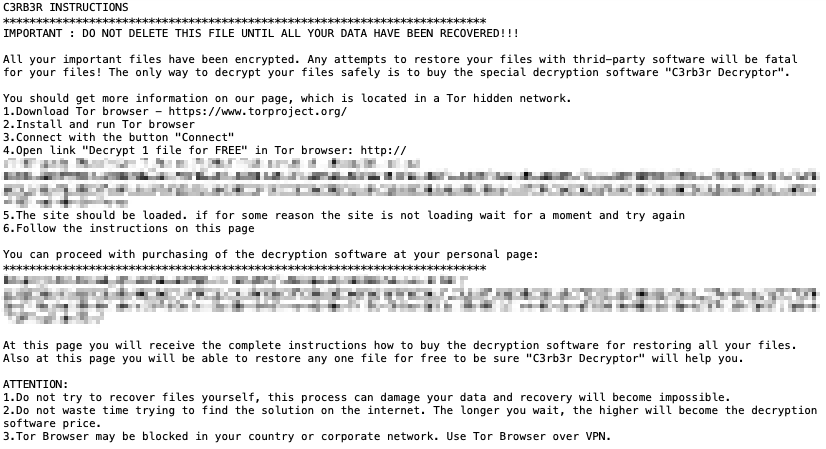
Since late October 2026, a massive wave of targeted ransomware attacks has hit Synology NAS devices. The payload belongs to the Cerber ransomware family (Linux variant), temporarily named "C3RB3R" by the security community based on its ransom note and dark web contacts.
On October 29, Synology issued an official advisory confirming the attacks, urging users to update their DiskStation Manager (DSM) software immediately. According to Shadowserver, there are approximately 4 million internet-exposed Synology NAS devices globally, making this a widespread crisis for small and medium enterprises (SMEs). https://www.synology.com/en-global/company/news/article/C3RB3R
I. Why This Issue Demands Particular Attention?
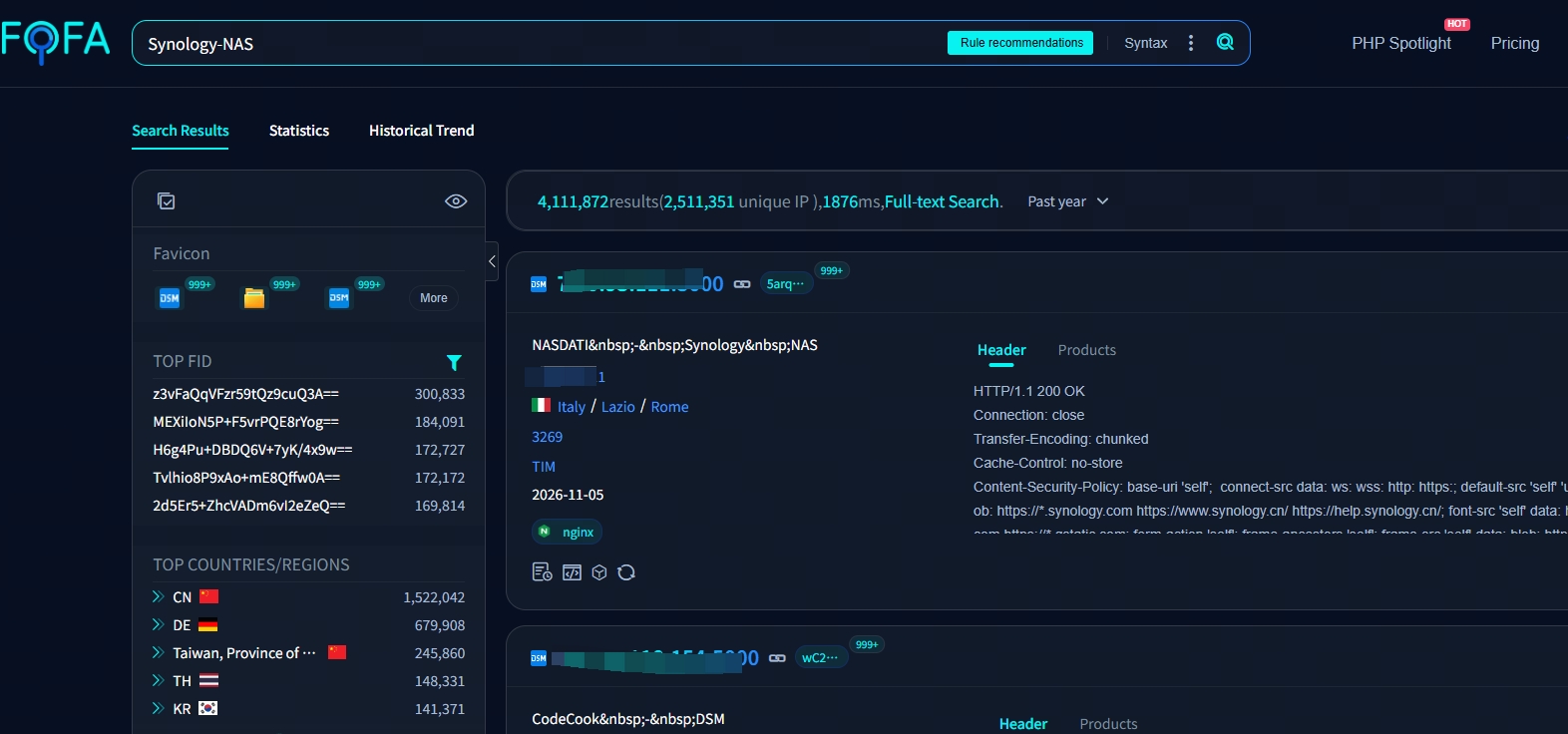
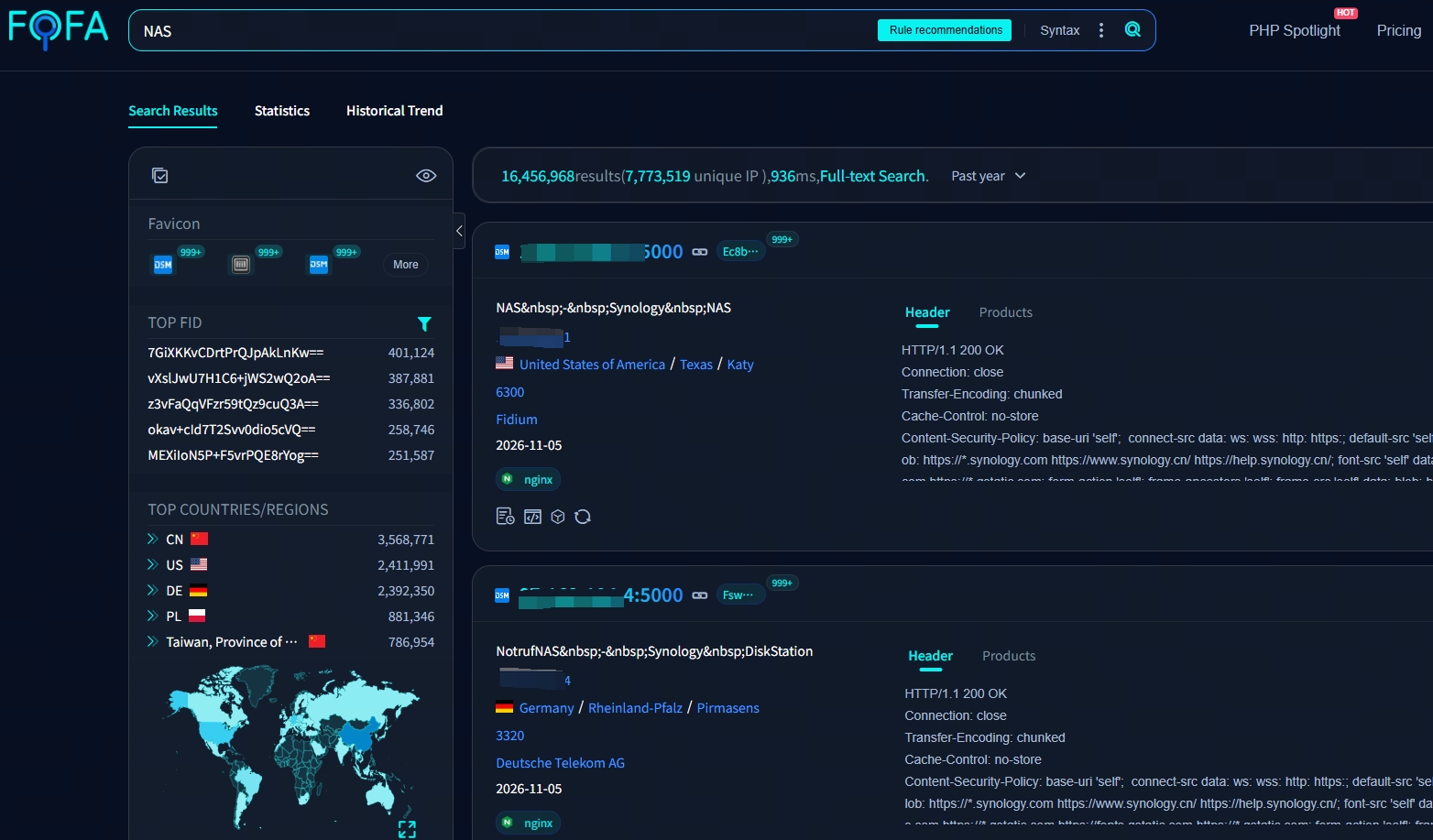
Massive Exposed Surface: Over 4 million internet-exposed Synology NAS devices, attackers are doing bulk scanning, potentially threatening as many as 16 million global NAS devices. Is Your NAS Next?
The Official Mitigation Gap:
Synology advises upgrading to the latest DSM, disabling port forwarding, and turning off UPnP. However, in the real world:
- Many devices cannot be updated immediately due to downtime fears or legacy hardware ("Black Synology").
- Changing ports only reduces scan hits; the service is still exposed.
- WAF and 2FA can be bypassed by protocol-level legitimate HTTP requests.
- Most importantly: Patching takes time. In that window between disclosure and patching, the NAS is completely blind to detection.
The official warning is clear: if you rely entirely on patching, you are vulnerable. The real question is: Once the payload is delivered, how do you stop it?
II. What Kind of Threat is This?
Simply put, unlike an active hacker manually breaking in, this is a highly automated "1-day" attack.
The attackers exploit a vulnerability patched in December 2024 to target devices running outdated DSM versions. Once inside, the attack chain is fixed and destructive:
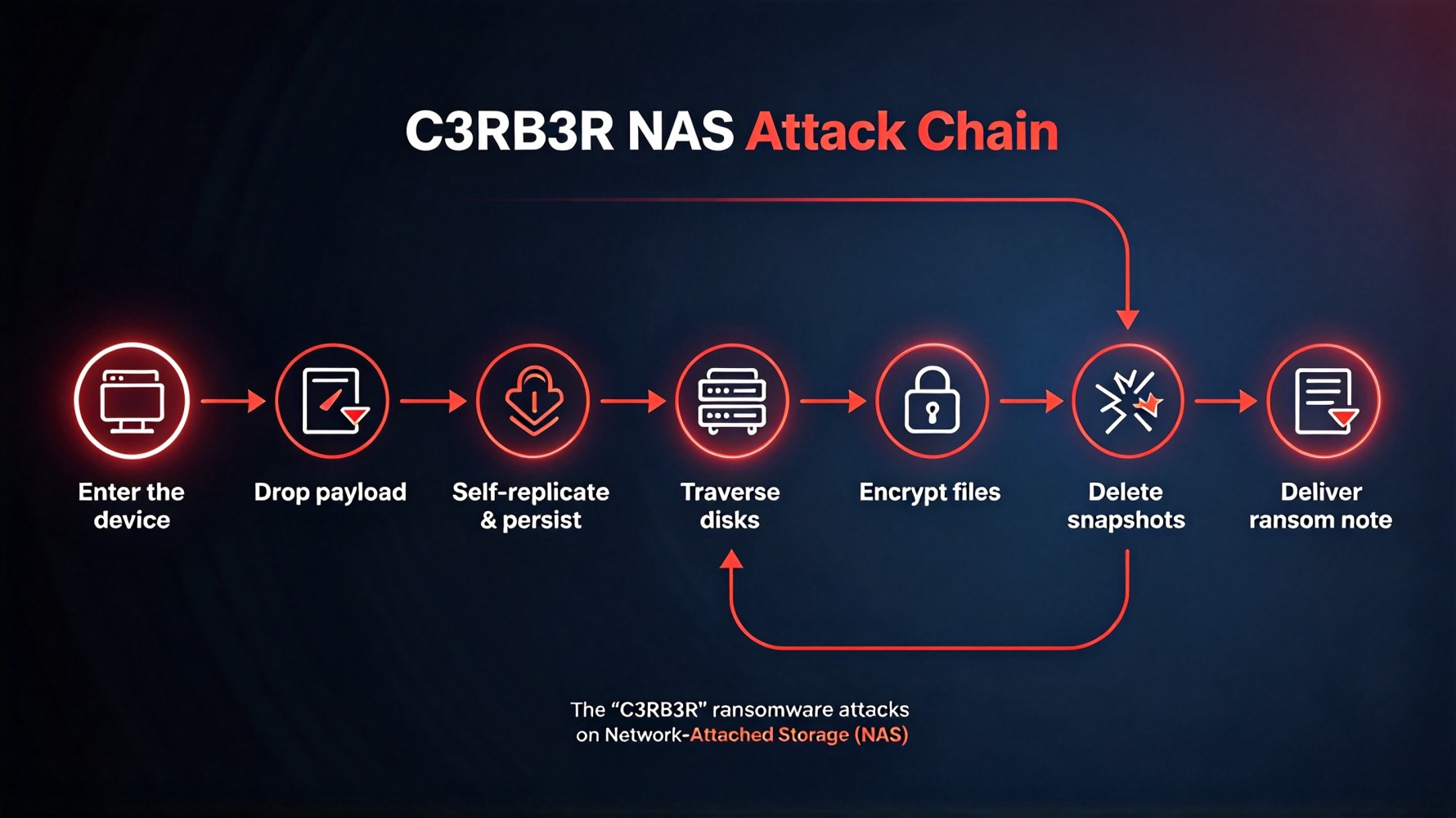
The encrypted files keep their original names but append a .L0CK3D (with a zero) or .LOCK3D extension. Every encrypted folder gets a ransom note named read-me3.txt.
III. Why is "C3RB3R" so devastating?
1. Irreversible Encryption: The malware uses ChaCha20 + AES + RSA triple-layer encapsulation with a unique key per file. There is no free decryptor available.
2. Snapshots are deleted: The attackers deliberately delete local snapshots. The "safety net" you thought you had disappeared right before the ransom note appears.
3. Backups are destroyed: If your backup drive is plugged into the NAS, or mapped as a network drive, it gets encrypted too.
4. No Agent on NAS: Because DSM is a closed system, you cannot install EDR or traditional antivirus software directly on the NAS to monitor file behavior.
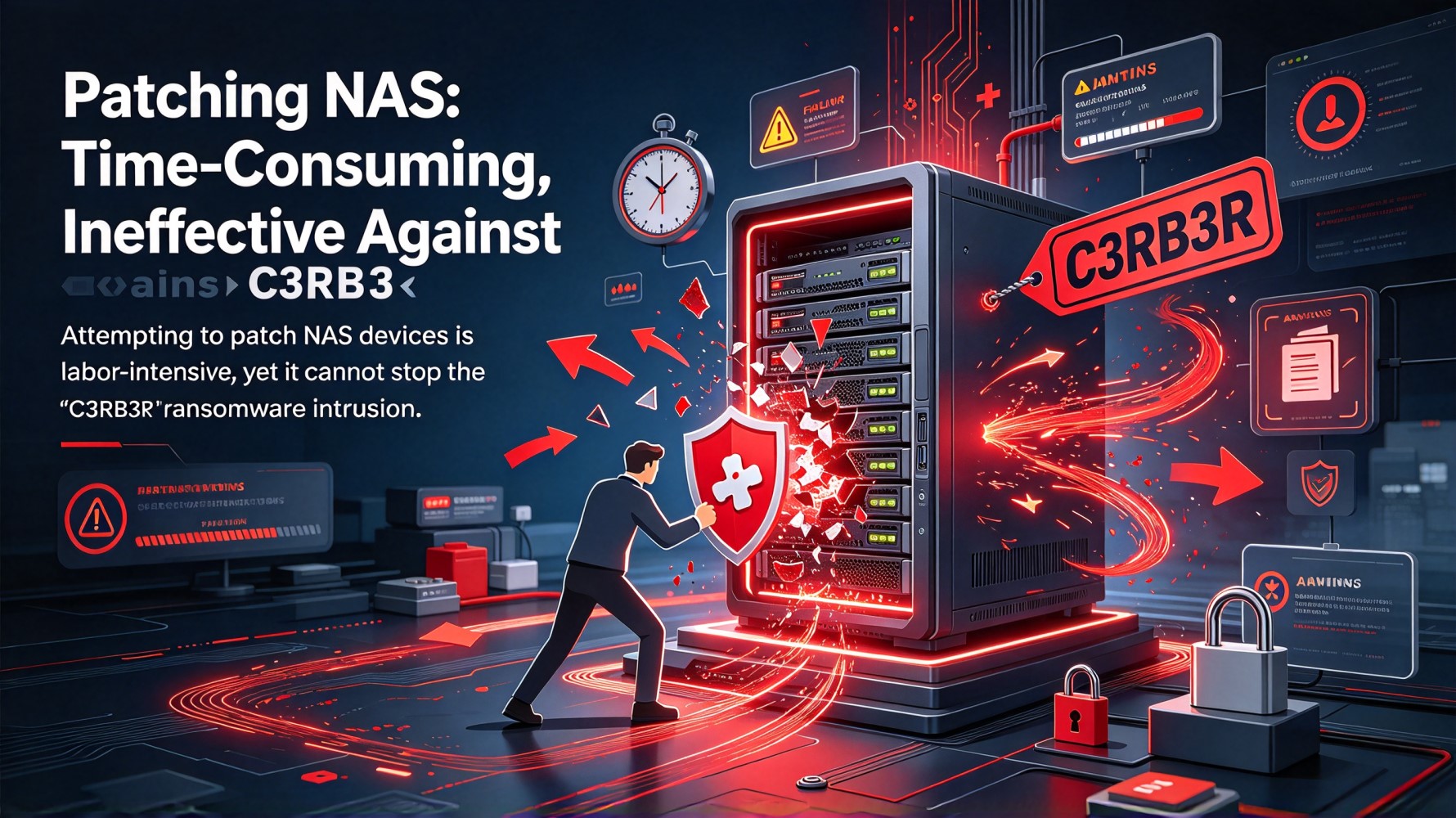
The most critical point to highlight: Patching is essential, but relying only on patches is a gamble. As seen in this event, even some reportedly updated devices were affected. The true challenge for defenders is: Regardless of how it gets in, can we see it the moment the file lands?
IV. The Ruijie Cybrey Solution: Stop the Payload at the Boundary
Since you cannot install antivirus on the NAS itself, you must treat the network boundary as its shield. Ransomware has a physical constraint:
The encryption program must first exist as a file on the NAS before it can start encrypting. Whether the attacker enters through a Web vulnerability, weak password, or lateral movement from an infected PC, the malicious file must traverse the network. This is the detection point.
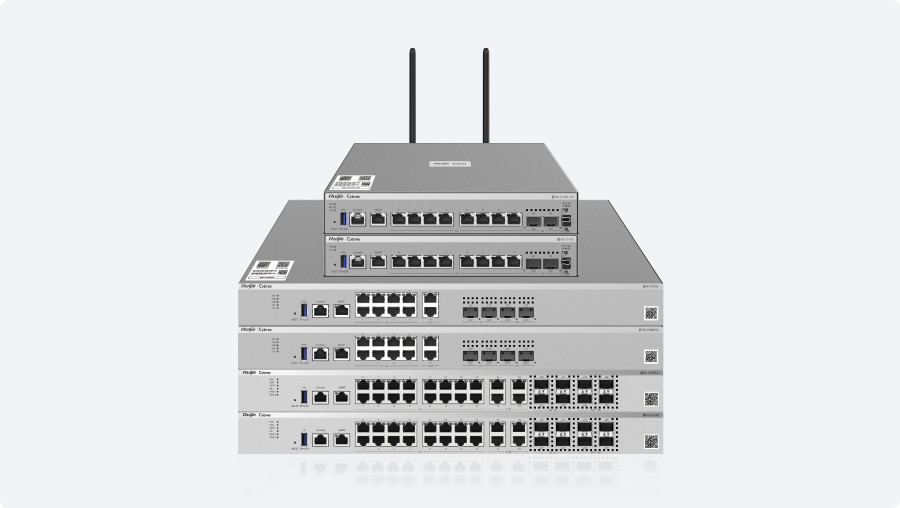
Ruijie Cybrey Z/CF series firewalls step in exactly at this moment—before the file lands and executes.
✅Ruijie Cybrey Firewall AV Engine: Covering the Payload Delivery Paths
The Ruijie Cybrey Firewall’s content security engine can inspect and block malicious viruses across multiple protocols:
| Protocol | Detectable content |
| HTTP / HTTPS | Payloads for web page download, web upload, and web application delivery |
| FTP | Malicious Files in File Transfer |
| SMB | Payload horizontally pushed via shared directories (the primary propagation vector of this attack) |
| SMTP / POP3 / IMAP | Malicious links in email attachments and message bodies |
✅The Time Window: Why "Before Landing" is Everything
| Stage | Detection Value |
| During Payload Delivery | ✅ The only point of no return. Blocked before execution. |
| After File Lands | ❌ Malware has execution conditions. |
| After Encryption Starts | ❌ No decryptor, snapshots deleted, backups destroyed. |
The Ruijie Cybrey Firewall stands at the very first stage. It does not tell you after you’ve been encrypted; it blocks the file at the door.
✅Easy Configuration for Instant Protection
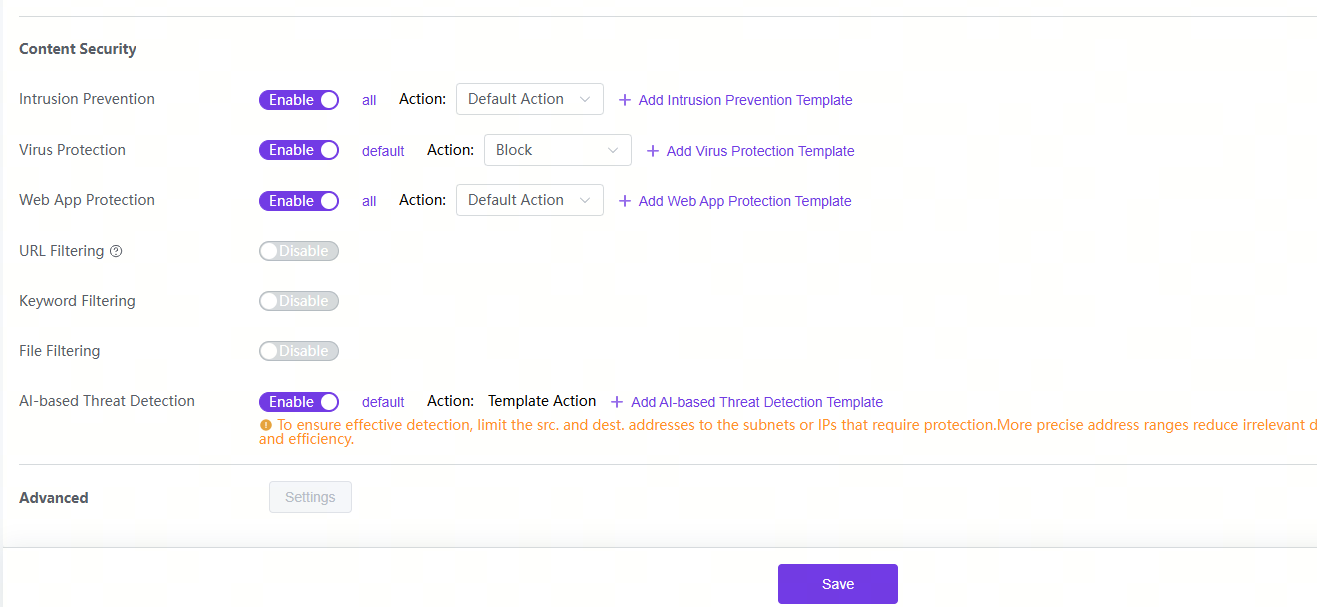
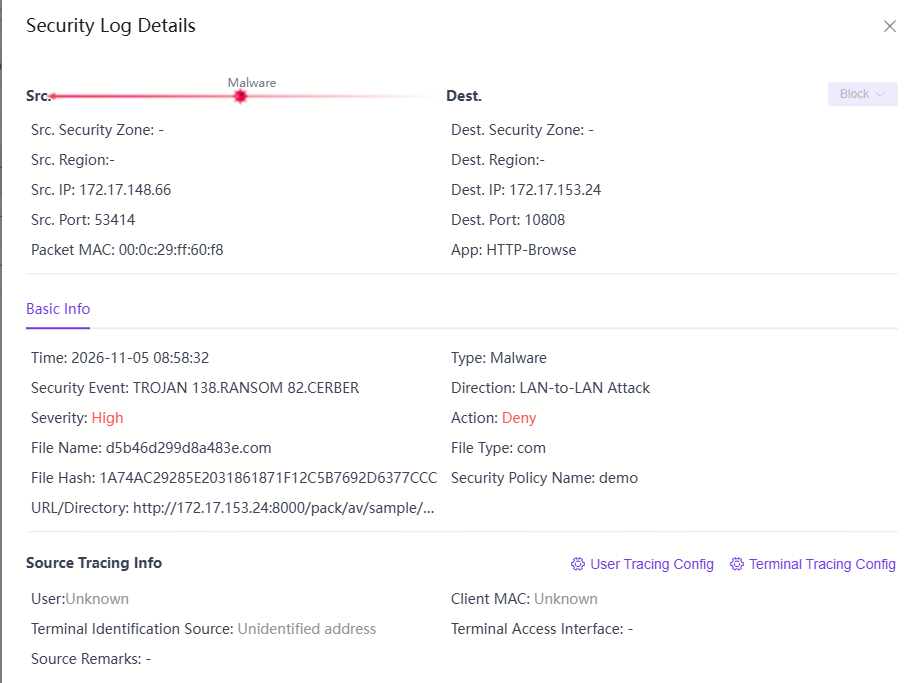
- Step 1: Enable Virus Protection (with virtual unpacking) and File Filtering in the Content Security template. Action: Block.
- Step 2: Ensure the signature database is updated to the latest version.
- Step 3: Apply the policy to the NAS sub-network and backup server sub-network.
Detection Capability & Boundaries:
We must be honest: if the payload is physically brought in via a USB drive or delivered via Layer 2 traffic that bypasses the gateway, the firewall cannot see it. Therefore, strict network segmentation is essential.
Ruijie Cybrey Firewall does not promise "full-lifecycle protection." What it guarantees is: During the payload delivery phase, it will stop the execution of the encryption program at the network boundary.
V. Beyond NAS: Protecting the "Unprotectable"
This capability isn't just for NAS. Think about all the devices in your network that cannot run an antivirus agent:
Network printers, IP cameras, access controllers, legacy servers, and various IoT/OT devices.
Today, the capability you enable for your NAS simultaneously covers every "unprotectable" asset in your server room. This is something "per-device protection" can never achieve—because your asset list always has blind spots, but the boundary sees everything, because all traffic must pass through it.
Concluding Remarks
For SMEs and system integrators, the C3RB3R crisis is a harsh reminder: You cannot just patch; you must have visibility.
Just remember these three steps:
1. Segment: Separate your NAS and backup networks from general users.
2. Block at Boundary: Enable Ruijie Cybrey Firewall's AV Engine to drop malicious payloads.
3. Update & Backup: Patch your DSM, disable UPnP, and keep an offline, physically disconnected backup.
Don't wait until the .L0CK3D extension appears to realize the boundary was open.
For further assistance on how Ruijie Cybrey Firewalls can secure your SME network edge, please visit:
https://www.ruijie.com/en-global/cybrey/cybrey-firewalls/